Run the operation, not just the records.
The same platform that holds your records also runs your day: pre-dive gating, topside live view, sign-offs, multi-team visibility, certs and equipment, emergency response, and messaging between Supervisor, Diver, Ops Manager, and Admin.
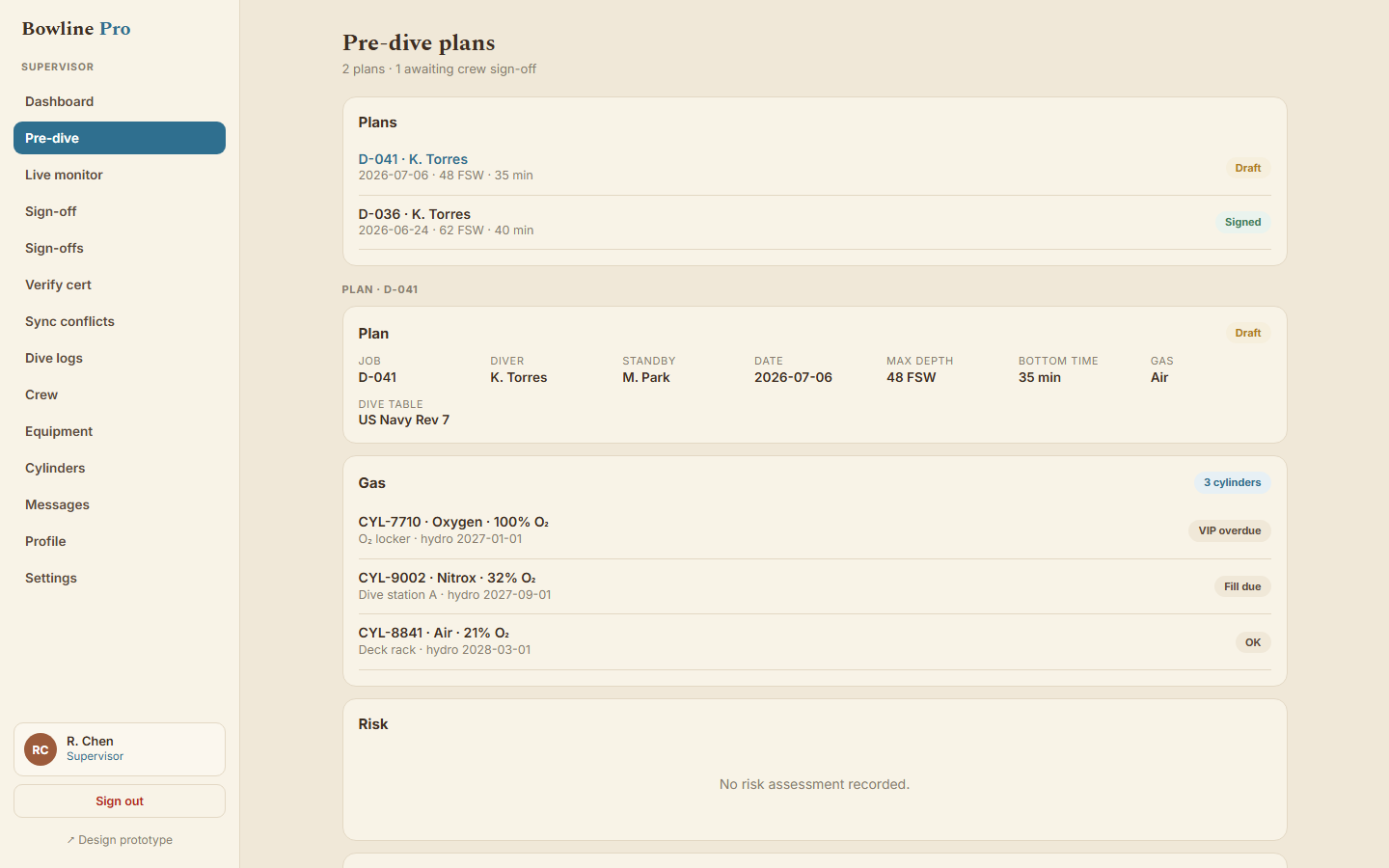
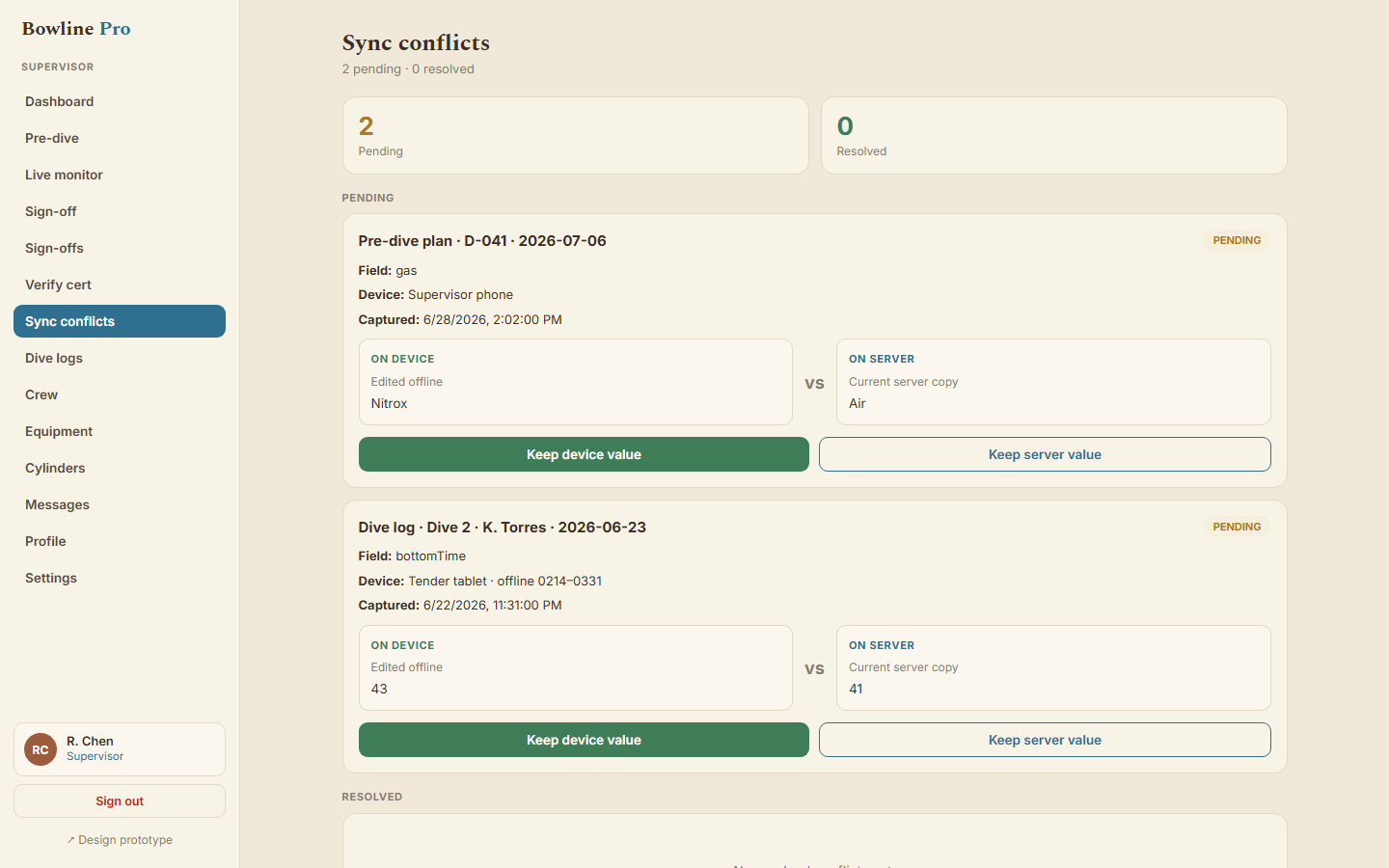
Six things your crew does every day
Comms, gas, standby diver, equipment certs: the supervisor works the checklist before the dive starts. Skips and overrides require a stated reason and a name.
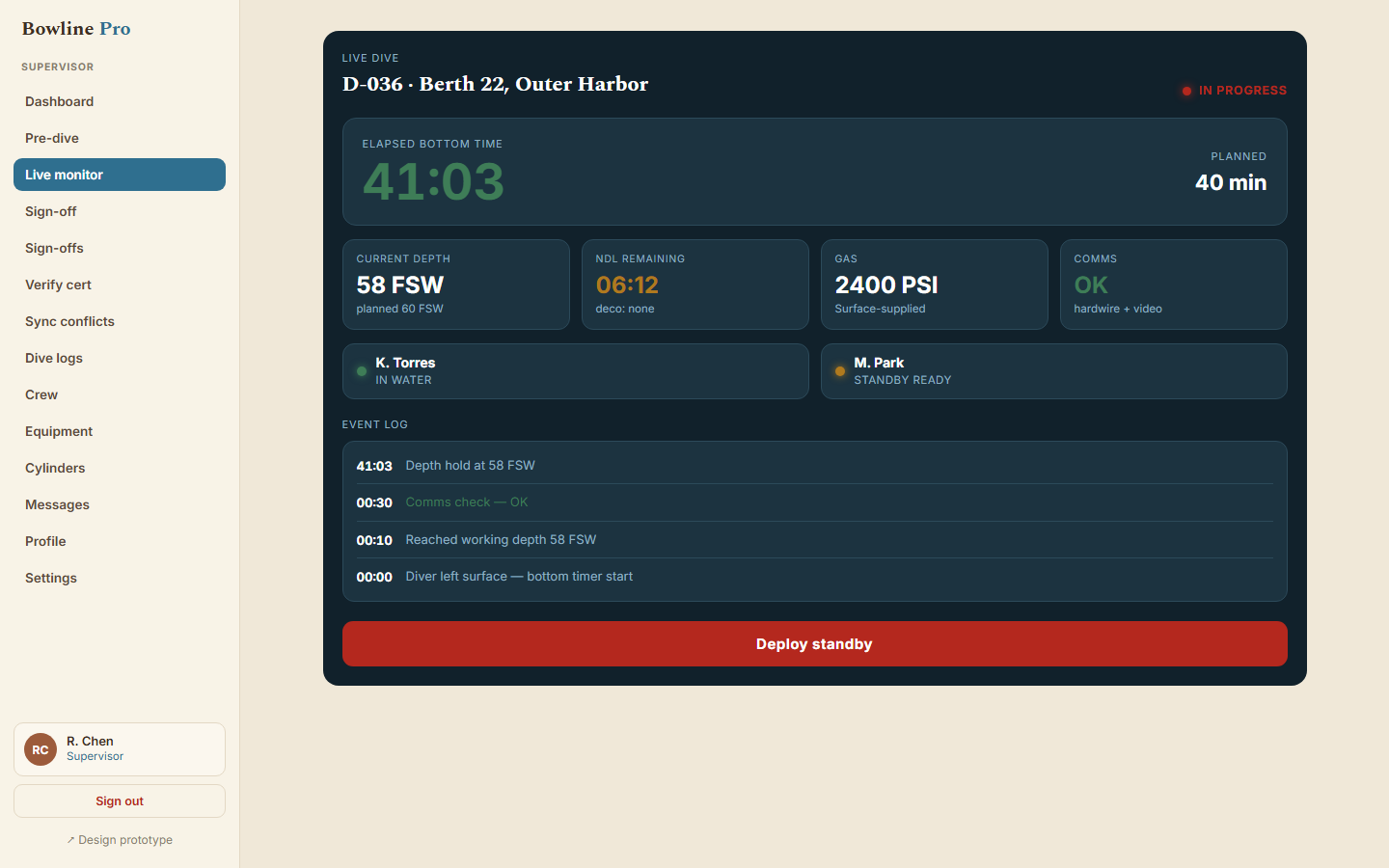
While the dive runs, the supervisor's app surfaces depth, bottom time, and decompression status from their entries, with standby state visible and plan versus actual side by side.
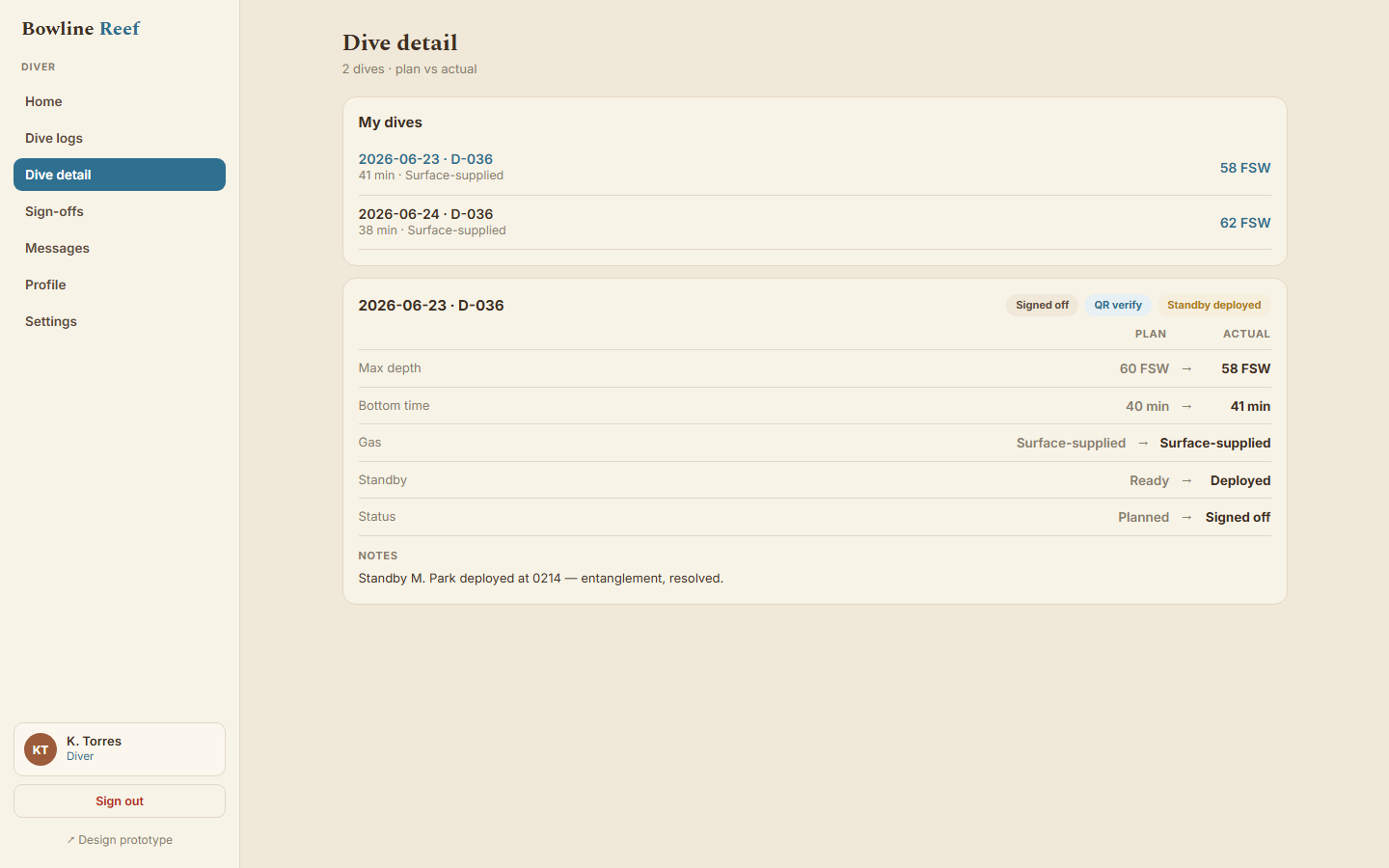
The supervisor signs at the surface and logs actuals; the diver countersigns from their own device, in person or remotely. No log closes without both.
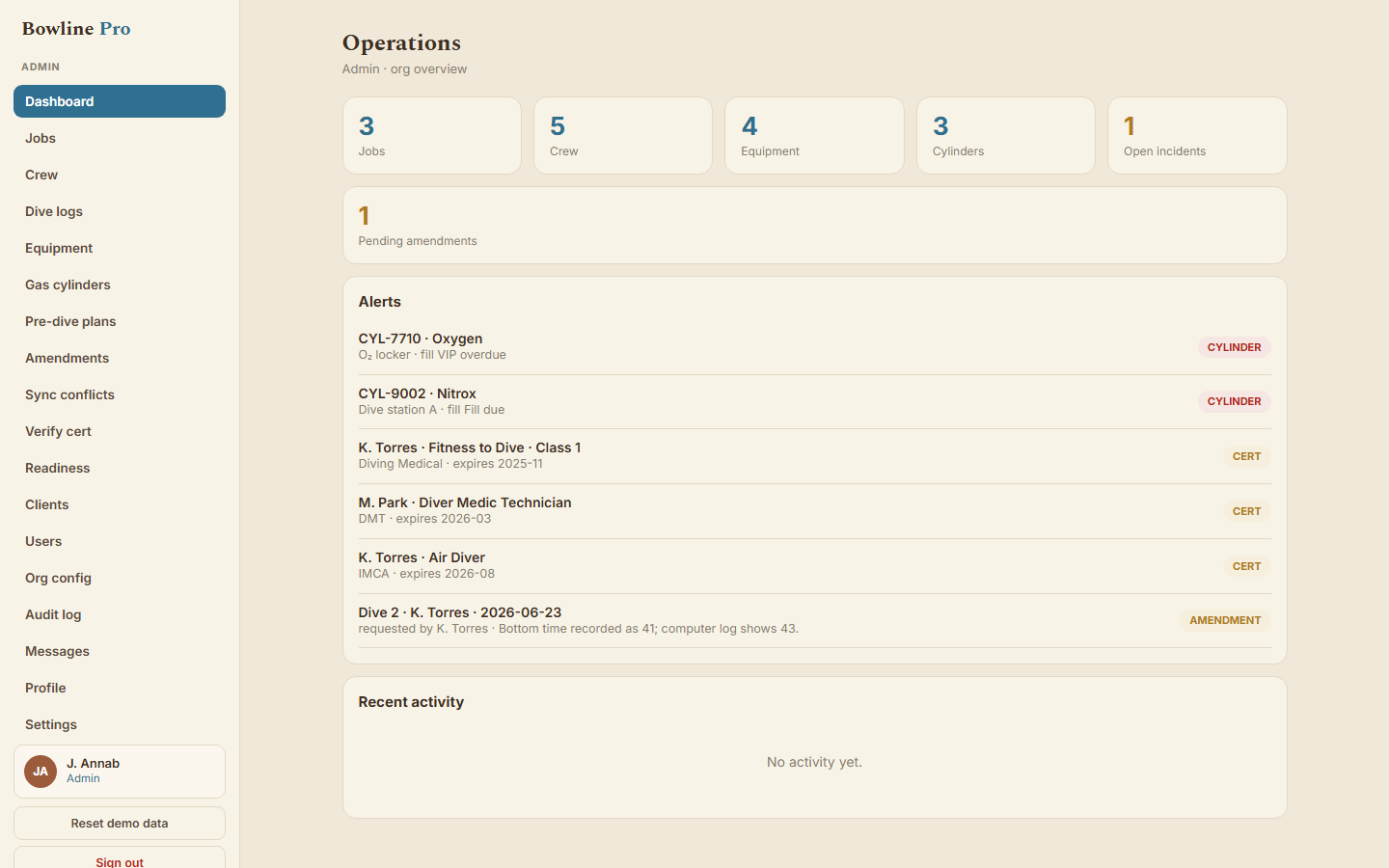
Every team across every site on one dashboard: who is deployed where, what state each job is in, what is pending sign-off. Messaging between Supervisor, Diver, Ops Manager, and Admin is tied to the job.
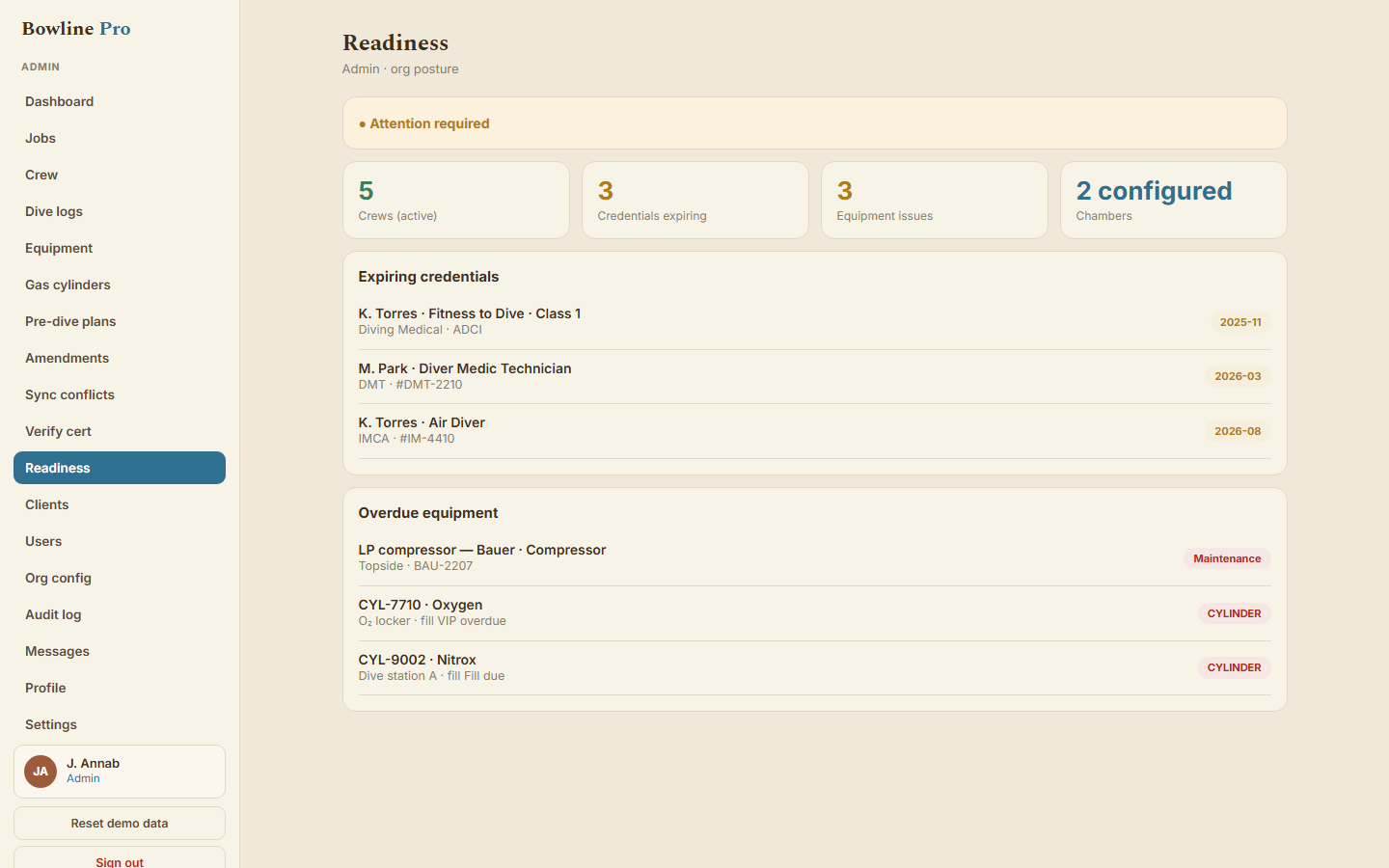
Medical and professional cert expiry alerts, equipment service intervals, gas blend tracking with VIP, hydro, and fill, and a defect log. The housekeeping that usually lives in spreadsheets nobody updates.
Press-and-hold Doctor and DAN, a nearest-chamber registry, and an incident workflow that captures the timeline and routes it to the right people.
Devices for every seat on the job. Supervisor and Ops Manager work on iPad in the field, built for gloves on a back deck. Admin runs the back office on web. Divers carry their identity and countersign from their own iPhone, with the Reef logbook included free. Client viewers on Brief see read-only records on the web.
About the live view. Topside live view is supervisor-entered: depth read off the pneumo, NDL calculated from the supervisor's depth and bottom-time entries. It is not a sensor feed from the diver, and it is not the permanent record; the permanent record is built from post-dive actuals and sign-offs.
What you actually have when something goes wrong.
A DCS event. A client dispute. An insurance review six months later. Bowline Pro gives your operation the kind of record that does not need a defense.
- Logged at the dive
- Chain of custody preserved
- Original record plus every amendment
- Yours to export, any time
- Offline-first
Plan it. Run it. Hold it.
The dive plan, the pre-dive checklist, the standby diver, the gas, the equipment certs: the supervisor works it through before the diver leaves the surface. Skips and overrides require a stated reason and a name.
Your Operations Manager sees every team across every site on one dashboard. Topside live view of active dives, pending sign-offs, expiring certs, equipment service, gas blends, and emergency response one tap away.
Original record preserved. Every amendment requires authentication, a stated reason, and Admin approval, logged with who and when. An evidentiary trail your insurer, your client, and your defense counsel can rely on months later.
Bowline Brief lets you offer your clients a branded portal that shows your work as it happens, not an after-the-fact PDF a month later.
Every diver on your roster gets their own portable identity, countersigns your logs, and keeps a lifetime record through Bowline Reef, at no cost to them or to you.
See it on your own dive.
Pro Solo signs up directly. For Pro Small and above, book a 20-minute demo and we will set up your teams.